If you’re serious about improving your golf game and want to practice more effectively at home or in an indoor simulator setup, the SkyTrak+ Launch Monitor (and its related SkyTrak lineup) is one of the most talked-about launch monitors on the market. In this SkyTrak review we’ll break down what makes this golf technology popular among amateur and recreational golfers, how it performs, what data it provides, and whether it’s worth your investment.
What Is SkyTrak Golf?
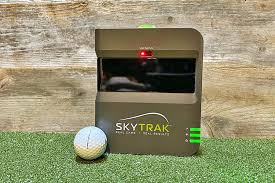
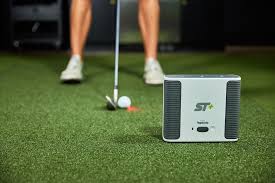
SkyTrak is a photometric launch monitor system designed to capture accurate golf ball flight and performance data using high-speed cameras immediately after impact. Unlike radar-based systems that track the entire ball flight, SkyTrak analyzes images of the ball right after it’s struck, then uses advanced software to calculate key metrics like ball speed, launch angle, spin rates, and carry distance.
The original SkyTrak unit has been praised for its cost-effective approach to real-world golf shot data, making launch monitor technology accessible without paying the ultra-high prices of professional systems like Trackman or Foresight.
Key Features & Capabilities
Here’s what most golfers appreciate about the SkyTrak and SkyTrak-based systems:
📊 Accurate Ball Data Tracking
-
Captures critical metrics including ball speed, launch angle, backspin, sidespin, and side angle.
-
Uses photometric technology that provides a realistic estimate of carry and total distance — valuable information for practice and improvement.
💻 Simulator & Practice Options
-
Works with SkyTrak’s own software — from a simple practice range package to game-improvement features like skill challenges and shot history.
-
Compatible with third-party golf simulation software like TGC 2019 and others, letting you play virtual golf courses right at home.
🎮 Wireless Connectivity
-
Connects via Wi-Fi to support iPads, Android devices, PCs and Macs — creating a flexible setup without cables or clutter.
📦 Portable & Compact
-
Most SkyTrak models are lightweight and small enough to fit easily in indoor golf spaces or simulator setups. Unlike bigger launch monitors, you don’t need a dedicated golf facility.
📈 Valuable Practice Feedback
-
Shows shot dispersion data and tendencies so you understand trends in your ball flights, not just one-off distances.
Performance & Accuracy
One of SkyTrak’s biggest selling points is its accuracy relative to price. While it isn’t the ultra-precise tool used by professional coaches or club fitters, the ball flight data it provides is close enough for recreational players and most improvement goals.
Many golfers have found that SkyTrak’s numbers — especially carry distances and ball speeds — align well with expectations based on real-course experience. This is impressive considering more expensive launch monitors cost many times more.
However, accuracy tends to be best indoors under consistent lighting and a flat golf surface. Outdoor testing shows slightly more variation due to environmental factors (like sunlight and uneven ground) that can affect shot capture — something common to most camera-based systems.
SkyTrak for Practice vs. Full Simulator Use
Practice & Game Improvement
For many golfers, SkyTrak’s simplest use is as a practice tool: tracking ball data, reviewing shot history, and using challenges built into the SkyTrak app. This is where the system shines, giving immediate feedback that translates directly into better practice sessions.
Golf Simulation
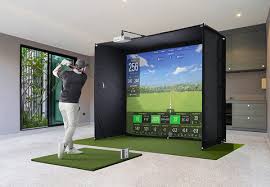
To unlock full golf simulator functionality — where you can play virtual courses like Pebble Beach or Bethpage Black — you may need additional software packages or memberships. Some third-party software options are free; others require paid subscriptions.
The good news is that once hooked up to a screen and simulator software, SkyTrak delivers a very engaging experience that feels closer to real golf than hitting into a net with no feedback.
Pros & Cons
To help you decide if SkyTrak is right for you, here’s a snapshot of the strong points and limitations:
☑️ Pros
-
Great value for money compared to pro launch monitors costing far more.
-
Accurate ball flight metrics suitable for serious practice.
-
Works with both its own and third-party golf simulator platforms.
-
Portable and wireless, ideal for home setups.
-
Offers game improvement feedback beyond simple distance numbers.
❌ Cons
-
Not as detailed as professional radar-based launch monitors (fewer club data metrics).
-
Reliant on consistent lighting and setup for best accuracy.
-
Some advanced simulator features require additional subscriptions.
Who Should Buy SkyTrak?
The SkyTrak system is best for:
-
Recreational golfers looking to practice more effectively.
-
Players building home simulator setups without spending a fortune.
-
Anyone who wants quantifiable golf data rather than guessing about performance.
If you want tools for professional swing analysis used by coaches and club fitters — including detailed club path and dynamic lie angles — a higher-end system might be more appropriate. But for most golfers, SkyTrak strikes the right balance of features, accuracy, and price.
Final Verdict — A Great Investment for Home Golf Improvement
Overall, the SkyTrak golf launch monitor stands out as one of the best value launch monitors available for 2026. It delivers ball flight data that is accurate enough for real improvement, integrates with simulator software, and is portable enough for indoor practice year-round. While it may not match the exact precision of top-tier professional units, SkyTrak remains an excellent investment for golfers who want a measurable way to practice — both for performance and fun.