
Building a membership website is one of the most effective ways to create recurring income online. Whether you want to sell online courses, gated content, coaching programs, or private communities, choosing the right plugin is critical.
One of the most popular solutions on the market today is MemberPress.
But is it really worth the price?
In this in-depth MemberPress review, we’ll break down features, pricing, pros and cons, use cases, and help you decide if MemberPress is the right membership plugin for your WordPress site.
What Is MemberPress?

MemberPress is a premium WordPress membership plugin that allows website owners to:
-
Create membership levels
-
Restrict content based on user access
-
Sell digital products and subscriptions
-
Build online courses
-
Manage recurring payments
Unlike many lightweight membership plugins, MemberPress is designed as an all-in-one solution for serious creators and businesses.
It’s widely used by:
-
Course creators
-
Coaches and consultants
-
Content creators and bloggers
-
SaaS-style membership sites
-
Online communities
Key Features of MemberPress
1. Easy Membership Creation
MemberPress makes it simple to create unlimited membership levels. You can:
-
Set one-time or recurring pricing
-
Offer free, paid, or trial memberships
-
Control access to posts, pages, categories, tags, and files
No coding knowledge is required, making it beginner-friendly.
2. Powerful Content Restriction Rules
One of MemberPress’s strongest features is its advanced access rules system.
You can restrict:
-
Entire posts or pages
-
Categories or tags
-
Custom post types
-
Downloadable files
Rules are easy to configure and give you full control over who sees what.
3. Built-In Payment Integrations
MemberPress integrates seamlessly with major payment gateways, including:
-
Stripe
-
PayPal
-
Authorize.Net
This allows you to accept:
-
One-time payments
-
Monthly or annual subscriptions
-
Automatic recurring billing
Everything is handled directly inside WordPress.
4. Course Builder (MemberPress Courses)
MemberPress includes a built-in course creation feature that lets you:
-
Create structured lessons
-
Drip content over time
-
Protect course access behind memberships
While not as advanced as dedicated LMS platforms, it’s more than sufficient for most course creators—and saves money by avoiding extra plugins.
5. Drip Content & Scheduling
Content dripping allows you to release lessons or content gradually instead of all at once. This is ideal for:
-
Online courses
-
Coaching programs
-
Subscription-based learning
You can schedule content by days, weeks, or specific dates after signup.
6. Integrations & Add-Ons
MemberPress integrates with many popular tools, including:
-
Email marketing services (ConvertKit, Mailchimp, ActiveCampaign)
-
Zapier
-
Affiliate platforms
-
Page builders
These integrations make it easier to automate marketing and grow your membership business.
MemberPress Pricing: Is It Worth the Cost?
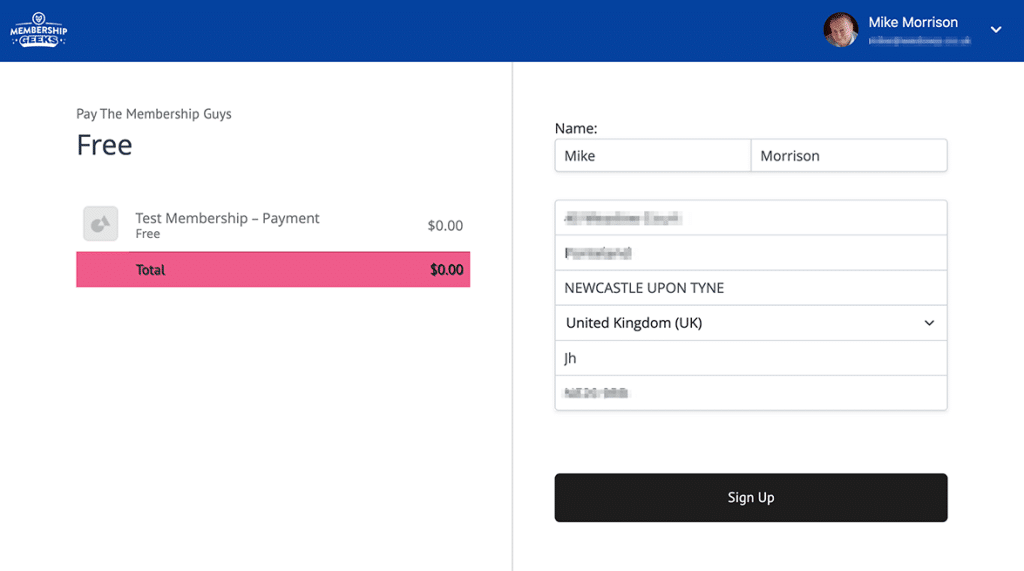
MemberPress is a premium-only plugin, meaning there’s no free version.
Pricing typically includes:
-
Basic plan – for simple membership sites
-
Plus plan – adds more integrations
-
Pro plan – unlocks advanced features and add-ons
While MemberPress is more expensive than some alternatives, many users find the cost justified because:
-
No need for multiple plugins
-
Strong performance and reliability
-
Excellent long-term scalability
Using a MemberPress discount or coupon (when available) can significantly reduce the initial cost.
Pros and Cons of MemberPress
✅ Pros
-
Easy to use, even for beginners
-
Powerful membership and access control
-
Built-in payment processing
-
Integrated course builder
-
Reliable performance and updates
-
Strong documentation and support
❌ Cons
-
No free version
-
Higher upfront cost
-
Course features are basic compared to full LMS tools
MemberPress vs Other Membership Plugins
Compared to alternatives like:
-
Paid Memberships Pro
-
Restrict Content Pro
-
LearnDash (LMS-focused)
MemberPress stands out as a balanced solution—combining memberships, payments, and courses in one plugin.
If you want an all-in-one system without juggling multiple tools, MemberPress is often the better choice.
Who Should Use MemberPress?
MemberPress is ideal if you:
-
Want to build a paid membership site
-
Sell online courses or gated content
-
Need recurring subscription payments
-
Prefer an all-in-one WordPress solution
It may not be the best fit if you:
-
Only need a free or very basic membership setup
-
Want enterprise-level LMS features only
-
Are on a very tight budget
Is MemberPress Legit and Secure?
Yes. MemberPress is a well-established WordPress plugin trusted by thousands of websites. It offers:
-
Secure payment processing
-
Regular updates
-
Clear documentation
-
Active customer support
For serious membership projects, it’s considered a safe and reliable option.
Tips to Save Money on MemberPress
To get the best value:
-
Check for seasonal promotions
-
Look for verified MemberPress coupon codes
-
Choose the plan that matches your actual needs
-
Start small and upgrade later if needed
Many affiliate and deal sites occasionally offer MemberPress discounts.
Final Verdict: Is MemberPress Worth It?
In this MemberPress review, the conclusion is clear:
If you’re serious about building a professional membership or course website on WordPress, MemberPress is absolutely worth considering.
It’s not the cheapest plugin—but it delivers stability, flexibility, and long-term value that many cheaper alternatives lack.
For creators and businesses focused on recurring revenue, MemberPress remains one of the best membership plugins available today.